Focus Buddy for students
A study timer app for iPhone and iPad
Turn a long homework list into one clear task, one focus session, and a real break. Focus Buddy brings a Pomodoro-style timer, daily tasks, and habit tracking together.
Get Focus Buddy on the App Store
A Pomodoro timer for students, with your next task in mind
A timer can tell you when to stop, but it cannot decide what to study. Before starting a session, write a specific outcome in your task list: solve three practice questions, summarize a lecture, or draft an essay outline. When the timer ends, you have something concrete to check.
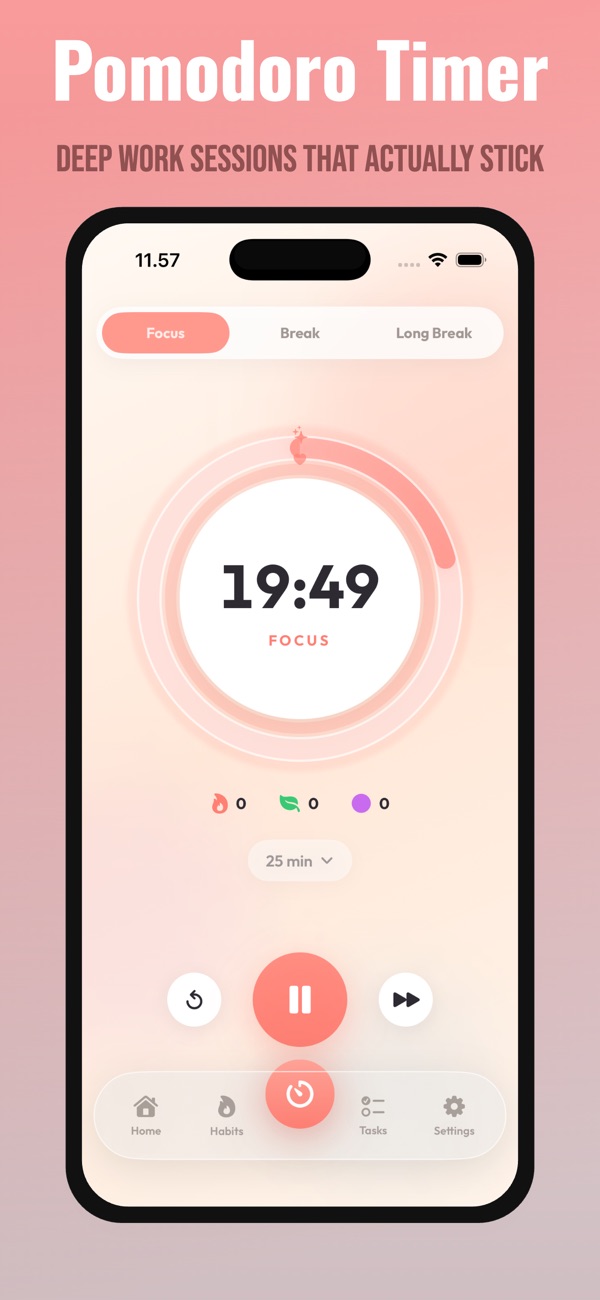
Focus Buddy has focus, short-break, and long-break modes with adjustable session lengths. Begin with a manageable block and choose a break between rounds. If you are learning the method, read the Pomodoro Technique study guide for the classic sequence.
Use a homework timer for different kinds of assignments
| Assignment | One-session outcome | What to do afterward |
|---|---|---|
| Math practice | Attempt three questions and mark uncertain steps. | Check the answers, then make the hardest step your next task. |
| Essay writing | Outline one section with its main argument and evidence. | Decide whether the next block is research or drafting. |
| Lecture reading | Read a section and write three questions about it. | Try answering without looking at the page. |
| Exam revision | Complete a small practice set. | Choose the next topic from the mistakes you found. |
These are planning examples, not fixed targets. A difficult question may take a whole block. Use the session to make progress and find the next step rather than rushing to match a number.
Plan revision sessions around the time you actually have
For a short evening, start with one topic and one focus block. For a longer afternoon, alternate work and breaks and leave a few minutes to review the result. The two-hour Pomodoro study schedule includes a practical example you can shorten or adapt for exam preparation.
If you keep drifting before the timer ends, try a shorter block. If it repeatedly interrupts useful work, experiment with a longer one. The session-length guide explains how to compare those choices.
Keep a daily study planner and a study habit tracker together
Use daily tasks for outcomes that can be finished, such as submitting a worksheet. Use habits for routines you repeat, such as reviewing notes after class. Keep the habit small enough to fit a busy day, and keep the next task specific enough to start.
For example, your habit could be “review notes after lunch,” while today’s task is “explain the three concepts from Tuesday’s lecture.” A focus session gives that task a time boundary. See how to combine tasks and study habits for more examples.
Questions before you start
Is this an online study timer?
This page explains the app; it does not run a timer in your browser. Download Focus Buddy from the App Store to use the focus timer on your iPhone or iPad.
Can I use it as an exam revision timer?
Yes. Add the revision task, choose a session length, and use a break between blocks. You choose the subjects and study material; Focus Buddy provides the timer and task and habit tracking.
Will it block distracting apps?
Focus Buddy’s timer does not block other apps. Before studying, you can put your phone out of reach or use your device’s own notification settings to limit interruptions.